
Photoshop-ல் உள்ள உங்கள் Layer-களை PNG அல்லது JPG கோப்புகளாக தானாக சேமிக்க எப்படி செய்வது என்பதை இந்த வீடியோவில் காணலாம்!
Learn how to automatically save your Photoshop layers as PNG or JPG files with ease! In this video, we’ll explore Photoshop’s Image Assets feature, which lets you export layers as individual files simply by adding .png or .jpg to the end of the layer name.
This powerful technique will save you time and make your workflow more efficient.
In this video, you’ll learn:
- What is the Image Assets feature?
- Steps to save layers as individual files
- How to set options for JPG and PNG formats
Enhance your skills and don’t miss this must-know Photoshop trick!
Related Posts

Resize Wide Images into Story Size Without Stretching – Content Aware Scale!
Resize Wide Images into Story Size Without Stretching - Content Aware Scale! Photoshop-ல Content-Aware Scale-ஐ பயன்படுத்தி உங்கள் Image-ஐ story size-க்கு resize செய்ய எளிய வழியை கற்றுக்கொள்ளுங்கள்! 🎯 Main object-ஐ பாதிக்காமல், distortion இல்லாமல், perfect...

Oil Painting Brushes and Texture in Photoshop
Creating oil paintings in Photoshop has never been easier! Use our custom brushes to turn your artwork into stunning masterpieces, just like a professional artist.
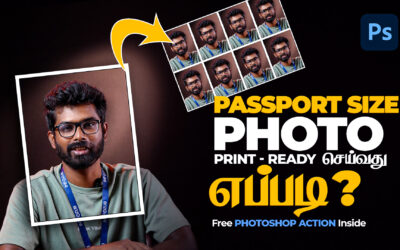
Passport Size Photo Print-Ready In Photoshop
Passport Size Photo Print-Ready செய்வது எப்படி? | Free Photoshop Action File Included இந்த வீடியோவில், Photoshop பயன்படுத்தி print-ready passport size photo எளிதாக உருவாக்கும் முறையை காணலாம். நீங்கள் விரைவாகவும் சுலபமாகவும் passport size image தயாரிக்க, இந்த...