
Web designing course
Beginner to Pro. Screen-Shared Tutorial Modules.
Modules
Master Web Designing, One Module at a Time
1. Fundamentals: Domain, Hosting & WordPress
Learn how domains, hosting, and subdomains work together to bring a website online. Understand how to choose the right provider and connect your domain to hosting. Set up WordPress from scratch so you are ready to start building.
2. WordPress Block Editor & Pages
Learn t o use the Gutenberg block editor t o structure content visually and cleanly. Explore essential blocks and how they combine to form sections and layouts. Build complete pages and set a custom homepage for your site.
3. Divi Theme & Divi 5 Basics
Learn to install and configure the Divi theme for any WordPress website. Manage roles, permissions, and the Divi Library for reusable designs. Get comfortable with Divi 5’s updated builder interface and core features.
4. Divi Theme Builder & Core Modules
Learn how sections, rows, and columns control layout inside Divi Theme Builder. Work with core modules such as accordions, blurbs, counters, CTAs, and forms. Build structured designs that are easy to edit and scale.
5. Advanced Divi Modules
Learn to enhance pages with timers, galleries, menus, sliders, and pricing tables. Add trust and social proof using testimonials and social follow modules. Use text, video, and fullwidth modules to create high-impact sections.
6. Page Creation workflow in Divi
Learn a complete workflow for creating pages in Divi from blank canvas to final design. Configure homepage, header, and footer while ensuring strong mobile responsiveness. Use plugins and layout import/export to speed up future builds.
7. Website creation and migration with Divi
Learn to plan and build single-page and multi-page websites from scratch using Divi. Apply presets and consistent styling across your entire site. Migrate finished websites between hosting accounts using the Duplicator plugin.
8. Integrations, Divi Cloud and Divi AI
Learn to connect Google Analytics and Search Console to track performance. Add engagement tools like chatbots, popups, and WhatsApp icons to your site. Use Divi Cloud and Divi Al to save designs and create content more efficiently.
9. Shopify store setup and Customization
Learn to create and configure a Shopify store from signup to launch. Add products, manage shipping, and customize your theme’s sections for branding. Integrate Razorpay and connect a custom domain for a professional storefront.
10. Woo-Commerce and Payment Integration
Learn WooCommerce basics, from installation to essential settings and features. Create simple and advanced product types suited for different business models. Integrate Razorpay and prepare a fully functional e-commerce site on your hosting.
11. Elementor Fundamentals and Landing Pages
Learn WooCommerce basics, from installation to essential settings and features. Create simple and advanced product types suited for different business models. Integrate Razorpay and prepare a fully functional e-commerce site on your hosting.
12. Advanced Divi Design Tutorials
Learn WooCommerce basics, from installation to essential settings and features. Create simple and advanced product types suited for different business models. Integrate Razorpay and prepare a fully functional e-commerce site on your hosting.
WHAT YOU WILL LEARN
Learn Everything About Web Designing in தமிழ்!
WordPress Ecosystem
Learn to design a powerful social media strategy that aligns with your brand goals and audience needs.
Master Divi Framework
Unlock the power of data to measure and improve your social media performance.
Creative Animations
Stay ahead in the ever-evolving world of social media by mastering the latest trends.
Dynamic Website Development
Learn how to foster a loyal and engaged online community around your brand.
Visual storytelling through web design
Discover the unique features and audience behaviours of major social media platforms like Facebook and Instagram.
Page Design and Layouts
Discover proven methods to turn your social media presence into a revenue-generating asset.
E-commerce Store Setup
Master the art of crafting engaging content that resonates with your audience and drives interaction.
Tips and Tricks
Unlock powerful tips to boost your social media performance and make your marketing stand out with strategy.
Course Highlights
40+ Modules
Lifetime Access
Lifetime Updates
Instant Access
Certified Course
Free Demo Class
30+ Hrs of Content
Community Support
07 Days Refund Policy*
Understanding the Journey
Course Roadmap
1. Consultation Call
We will call you to give a complete overview about the course and solve your doubts related to the course.
2. Course Purchase
Once you have complete understanding of this course and syllabus, You can purchase the course.
3. Course Access
Immediately after purchasing, you will receive access to the course LMS (Learning Management System) through email.
4. LMS Mobile App
Remember to download and install our android mobile app for learning this course through your mobile.
5. Learning Modules
All the learning modules are accessible to you. It’s recommended to learn in the sequence we have uploaded the videos.
6. Community Support
If you have any doubts while learning the course, you can feel free to ask in the “Community Support” section in the LMS.
7. Completion Certificate
Once you complete learning all the modules, you will receive a “Course Completion Certificate” for this course.
8. Lifetime Access
Even after completing the course, you will continue to have tutorials access, including future updates for the tutorials.
Your Talent, Officially Recognized
Our Certification
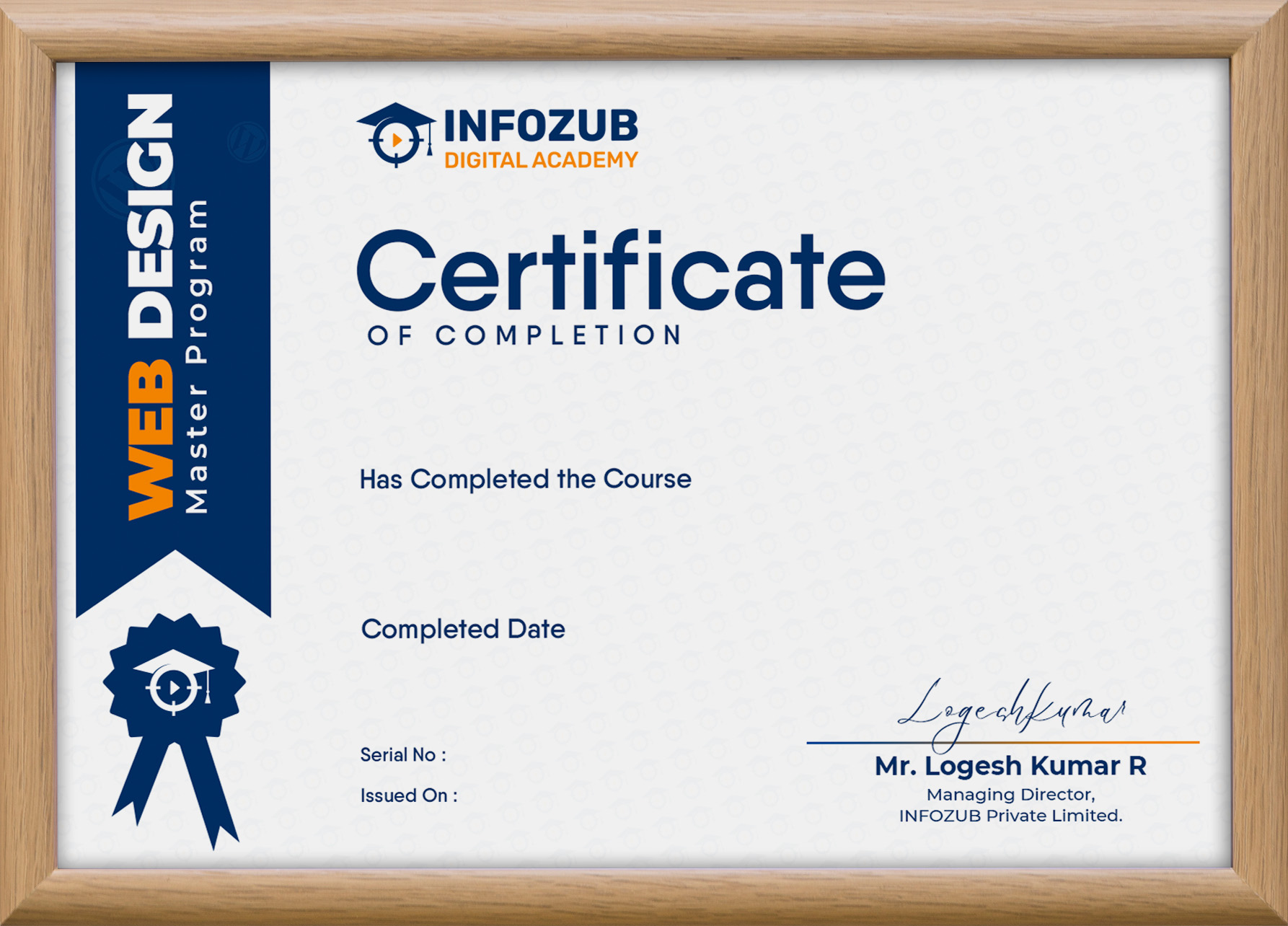
Earn a professional certification with our Web Design Master Program and showcase your web design expertise. Validate your skills with a globally recognized credential and boost your career opportunities with Infozub Digital Academy!
Everything You Need to Know
Frequently Asked Questions
What is the duration of the Course?
This course is self-paced learning. So there are no time limitations. You will have life-time access.
Do I require any prior experience to enroll?
You require basic computer skills and logical thinking to understand concepts and strategies.
Is this an Online Course or Offline Course?
This course is 100% Online Self-Paced Learning Course with Pre-Recorded Video Modules.
Will I get a Course Certificate?
Yes, once you complete learning the entire course, you will receive a Digital Certificate.
What is unique about this course?
Practical Training, Real-World Strategies, Agency-Styled Learning and Backed by our 13+ years of Agency Experience.
What is the validity of study materials?
You will have life-time access to the course, materials and videos.
Is EMI Available?
Please get in touch with us to know more about EMI options.
Can I learn at my own pace?
Yes, you can learn at your own pace.
What is the course language?
This course is explained in Tamil with technical terms in English.
Can I change the “Name” in certificate once its generated?
For changes in “Name” after the certificate is generated, please get in touch with us.
Will you keep this course updated?
Yes, we update the course periodically and you will receive in LMS.
Can I switch to a different course after purchase?
If you have purchased a course by mistake and have not completed more than 5% of the modules, we will help you to switch to a different course of your choice.
Do you give all softwares, tools, platform-access, subscriptions?
No. Whatever mentioned in this course is the educational purpose only. We do not give any software, tools, platform-access, subscription access.
How to ask doubts or questions?
There is a dedicated “Community Support” section inside the LMS. You can feel free to ask any doubts within the course syllabus and you will receive response from the community or authors.
Can I download the videos?
In LMS mobile app, we have given the option to save the videos so you can watch offline (without active internet connection). You can access the videos in the LMS (Learning Management System), But you cannot download or share the videos.
Can I share my course to my friends?
No, this course is for individual learning purpose only. You should not share with anyone.
After making payment, how long will it take to start learning?
You will receive access almost immediately after making the payment. Please check your email for access to LMS (Learning Management System). In very rare scenarios (like payment gateway issues), you have to wait up to 24 hours to receive access.
Do you offer any income guarantee?
We give quality education and knowledge for everyone. No income promise (or) guarantees.
I run an educational institution. Can I play this course publicly to my students?
For Educational Institutions, we offer separate pricing options. Please get in touch with us.