What Will You Learn?
Beginner to Pro. Screen-Shared Tutorial Modules.
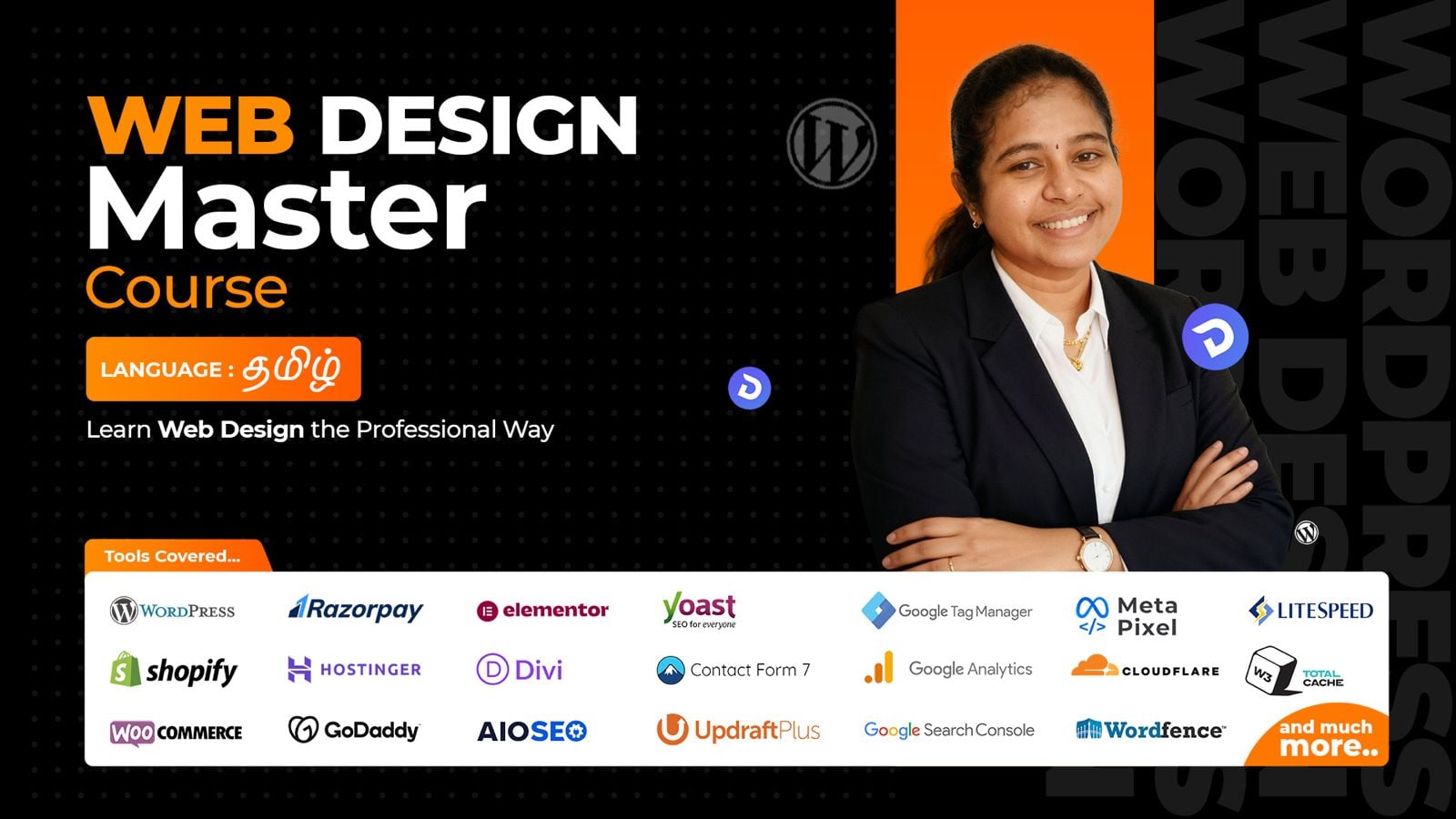
Web Design Master Course in தமிழ்!
Module 01: Fundamentals: Domain, Hosting & WordPress
Learn how domains, hosting, and subdomains work together to bring a website online. Understand how to choose the right provider and connect your domain to hosting. Set up WordPress from scratch so you are ready to start building.
Module 02: WordPress Block Editor & Pages
Learn t o use the Gutenberg block editor t o structure content visually and cleanly. Explore essential blocks and how they combine to form sections and layouts. Build complete pages and set a custom homepage for your site.
Module 03: Divi Theme & Divi 5 Basics
Learn to install and configure the Divi theme for any WordPress website. Manage roles, permissions, and the Divi Library for reusable designs. Get comfortable with Divi 5’s updated builder interface and core features.
Module 04: Divi Theme Builder & Core Modules
Learn how sections, rows, and columns control layout inside Divi Theme Builder. Work with core modules such as accordions, blurbs, counters, CTAs, and forms. Build structured designs that are easy to edit and scale.
Module 05: Advanced Divi Modules
Learn to enhance pages with timers, galleries, menus, sliders, and pricing tables. Add trust and social proof using testimonials and social follow modules. Use text, video, and fullwidth modules to create high-impact sections.
Module 06: Page Creation workflow in Divi
Learn a complete workflow for creating pages in Divi from blank canvas to final design. Configure homepage, header, and footer while ensuring strong mobile responsiveness. Use plugins and layout import/export to speed up future builds.
Module 07: Website creation and migration with Divi
Learn to plan and build single-page and multi-page websites from scratch using Divi. Apply presets and consistent styling across your entire site. Migrate finished websites between hosting accounts using the Duplicator plugin.
Module 08: Integrations, Divi Cloud and Divi AI
Learn to connect Google Analytics and Search Console to track performance. Add engagement tools like chatbots, popups, and WhatsApp icons to your site. Use Divi Cloud and Divi Al to save designs and create content more efficiently.
Module 09: Shopify store setup and Customization
Learn to create and configure a Shopify store from signup to launch. Add products, manage shipping, and customize your theme’s sections for branding. Integrate Razorpay and connect a custom domain for a professional storefront.
Module 10: Woo-Commerce and Payment Integration
Learn WooCommerce basics, from installation to essential settings and features. Create simple and advanced product types suited for different business models. Integrate Razorpay and prepare a fully functional e-commerce site on your hosting.
Module 11: Elementor Fundamentals and Landing Pages
Learn WooCommerce basics, from installation to essential settings and features. Create simple and advanced product types suited for different business models. Integrate Razorpay and prepare a fully functional e-commerce site on your hosting.
Module 12: Advanced Divi Design Tutorials
Learn WooCommerce basics, from installation to essential settings and features. Create simple and advanced product types suited for different business models. Integrate Razorpay and prepare a fully functional e-commerce site on your hosting.
What Will You Learn
Domain and Hosting Tools

GoDaddy

BlueHost

NameCheap

Hostinger

Cloudflare

HostGator
Page Builder and Form Tools

Divi

Contact Form7

Elementor

WP Forms

Beaver Builder

Gravity Forms

WP Bakery

Ninja Forms
SEO and Page Speed Optimization Tools

Yoast SEO

WP Rocket

RankMath

Lite Speed

AIOSEO

W3 Total Cache

SEO Press

WP Optimize
E-Commerce and Marketing Tools

Woo Commerce

Google Analytics

Shopify

Google Tag Manager

Razorpay
Facebook Pixel

PhonePe

Google Search Console
BAckup and Security Tools

UpdraftPlus

Sucuri

All-in-One WP Migration
MalCare

Jetpack

All-in-One Security
Wordfence Security
Duplicator
Optimization and Integration Tools

ShortPixel

Popup Maker

Smush

Mailchimp
Duplicator

ChatBot

Imagify
Learn Everything About Web Design
WordPress Ecosystem
The WordPress ecosystem is a thriving network of tools and themes designed to enhance your website’s functionality
Master Divi Framework
Creative Animations
Dynamic Website Development
Visual storytelling through web design
Page Design and Layouts
E-commerce Store Setup
Tips and Tricks
Our Certification
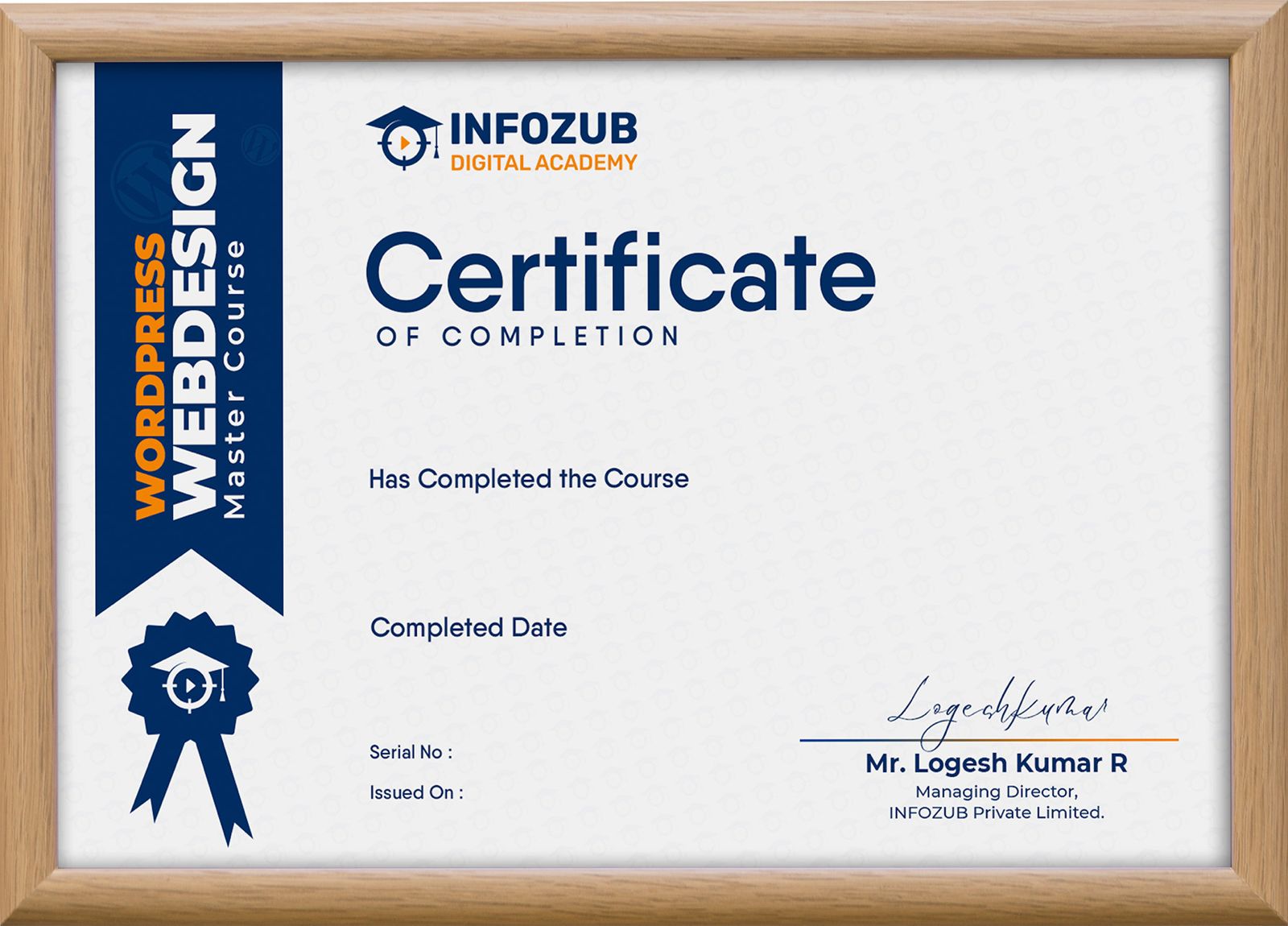
“Earn a professional certification with our Web Design Master Course and showcase your web design expertise. Validate your skills with a globally recognized credential and boost your career opportunities with Infozub Digital Academy!“
Course Highlights
Why Choose
Web Design as your career
Today, Every Business Requires a Website.
Above ₹4L Average Salary
₹4.5 – ₹7 LPA (AmbitionBox / Glassdoor average / industry averages from similar sources)
Above 40% Growth Rate
WordPress powers around 43% of all websites globally and its ecosystem continues to expand.
10K Job Openings
There are thousands of active Web Designer and related job openings in India on major job portals.
Why This Course?

Recognized Certification
Expert-Led-Mentorship
Beginner Friendly Learning
Complex topics are simplified with clear explanations, ensuring smooth learning even for beginners.
Understanding the Journey
Course Roadmap
Consultation Call
We will call you to give a complete overview about the course and solve your doubts related to the course.
Course Purchase
Once you have complete understanding of this course and syllabus, You can purchase the course.
Course Access
Immediately after purchasing, you will receive access to the course LMS (Learning Management System) through email.
LMS Mobile App
Learning Modules
Community Support
Completion Certificate
Lifetime Access
Frequently
Asked Questions
What is the duration of the Course?
This course is self-paced learning. So there are no time limitations. You will have life-time access.